
Plant Spacing Calculator
How many plants fit in your bed? Enter your bed size, spacing, and planting method below.
How this calculator works
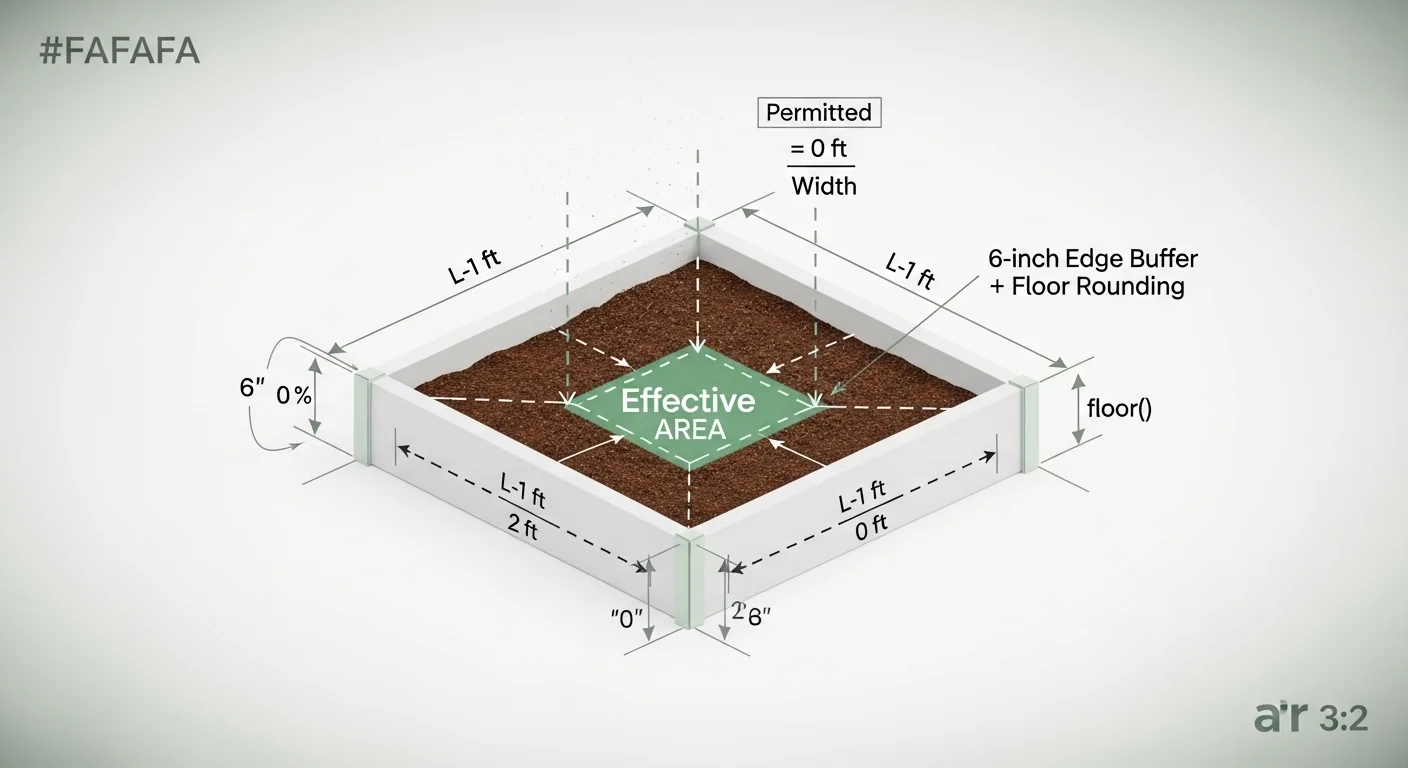
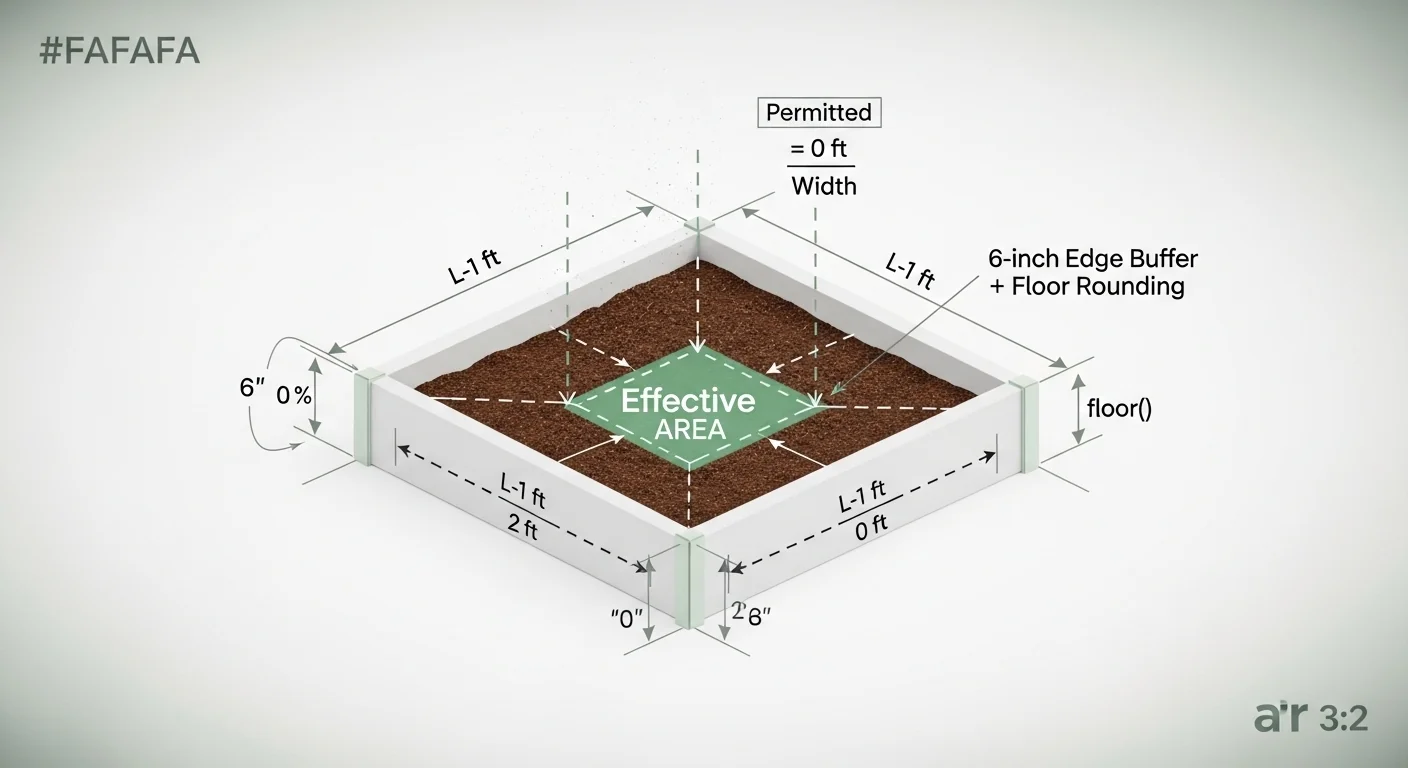
- A 6-inch edge buffer is automatically subtracted from all sides (12 inches total per dimension) to prevent edge planting and protect roots.
- Plant count is always rounded DOWN (floor). You cannot plant half a plant.
- Square Foot mode uses the same spacing value for both rows and columns — true grid planting.
- Row mode uses separate plant spacing (along the row) and row spacing (between rows).
- Maximum supported spacing: 120 inches (10 ft). Minimum: 1 inch.
- Bed dimensions must be at least 0.5 ft. If the bed is too small after the buffer, result is 0 plants.
- This calculator does not account for companion planting, raised bed walls, or irrigation lines.
The single most common error in garden bed planning is treating the total bed dimension as the planting area. It is not. Roots near the edges compete with walls, irrigation lines, and compacted soil zones, which is why a standardized 6-inch perimeter buffer must be subtracted before any spacing math begins. Most online calculators skip this step entirely, producing counts that look correct but cause overcrowding at the margins.
This plant spacing calculator takes your bed length, bed width, plant spacing, and row spacing, applies the 6-inch edge buffer automatically, then floors every division result so the count is always achievable without cutting a plant. It produces an integer plant count for either a square foot grid or a row-planting layout. What it does not do: it does not account for companion planting arrangements, raised bed wall thickness, or irrigation hardware clearances. Those are post-calculation decisions.
After running this calculator, you will know the maximum safe plant count for your bed under your chosen spacing regime, with no rounding optimism built in.
Use the Tool

Before you start, measure your bed in feet from inside wall to inside wall. Gather your target plant spacing in inches from the seed packet or transplant guide. If you are using row planting mode, you will also need the between-row spacing in inches, which is often a different value from in-row spacing. When planning drip irrigation alongside your layout, the drip irrigation run time calculator pairs well with this tool once plant count and spacing are confirmed.
Quick Start (60 Seconds)

- Bed Length (ft): Measure from inside wall to inside wall along the long axis. Enter decimals if needed (e.g., 7.5). Do not include the wall thickness.
- Bed Width (ft): Measure the short axis the same way. For in-ground rows, this is the full row width you are allocating per crop.
- Plant Spacing (in): The distance between individual plants within a row. Find this on the seed packet under “spacing” or “thinning distance.” Enter inches only; do not convert to feet first.
- Row Spacing (in): Only active in Row Planting mode. This is the center-to-center distance between rows, not the gap between row edges. Common mistake: using the row gap instead of center-to-center.
- Mode toggle: Choose Square Foot Grid if you plant in a uniform grid (same spacing in all directions). Choose Row Planting if your crop uses different in-row and between-row spacing.
- Click Calculate: The result is floored. If the math produces 5.8 plants, you get 5. Plan your seed order accordingly.
- Edge buffer is automatic: The calculator subtracts 6 inches from each edge (12 inches total per dimension). You do not need to pre-adjust your measurements.
Inputs and Outputs (What Each Field Means)
| Field | Unit | What It Means | Common Mistake | Safe Entry Guidance |
|---|---|---|---|---|
| Bed Length | feet (ft) | Interior dimension of the bed along its longest axis | Including wall thickness in the measurement | 0.5 to 1000 ft; decimals accepted |
| Bed Width | feet (ft) | Interior dimension along the short axis | Entering outer frame dimension instead of inner planting area | 0.5 to 1000 ft; for raised beds, measure between boards |
| Plant Spacing | inches (in) | Center-to-center distance between plants in the same row | Using the “gap” between plants instead of center-to-center | 1 to 120 in; check seed packet “thinning” distance |
| Row Spacing | inches (in) | Center-to-center distance between rows (Row mode only) | Setting this equal to plant spacing when the crop needs wider rows | 1 to 120 in; auto-disabled in Square Foot mode |
| Mode Toggle | n/a | Switches between uniform grid (Square Foot) and row layout | Using Square Foot mode for crops like tomatoes that need wider rows | Use Square Foot for greens; use Row for large vine crops |
| Plant Count (output) | plants (integer) | Maximum plants that fit after applying the edge buffer and flooring | Treating this as an exact target rather than a maximum | Always plan for 5-10 extra seeds in case of germination loss |
Worked Examples (Real Numbers)
Scenario 1: Standard 4×8 Raised Bed, Lettuce at 6-Inch Spacing
- Bed Length: 8 ft
- Bed Width: 4 ft
- Plant Spacing: 6 inches
- Mode: Square Foot Grid
Effective length = 8 – 1 = 7 ft. Effective width = 4 – 1 = 3 ft. Columns = floor(7 / 0.5) = 14. Rows = floor(3 / 0.5) = 6.
Result: 84 plants
A dense lettuce planting in a standard raised bed. At 6-inch spacing, these heads will be harvested before size becomes a competition issue, making this count practical for cut-and-come-again varieties.
Scenario 2: 10×5 Ft In-Ground Bed, Tomatoes in Row Mode
- Bed Length: 10 ft
- Bed Width: 5 ft
- Plant Spacing: 24 inches
- Row Spacing: 36 inches
- Mode: Row Planting
Effective length = 10 – 1 = 9 ft. Effective width = 5 – 1 = 4 ft. Columns = floor(9 / 2) = 4. Rows = floor(4 / 3) = 1.
Result: 4 plants
A single row of four tomato plants. The 36-inch row spacing leaves no room for a second row in a 5-foot-wide bed after the edge buffer is applied. Widening the bed to 7 feet would open up a second row.
Scenario 3: 6×6 Ft Square Bed, Spinach at 6-Inch Spacing
- Bed Length: 6 ft
- Bed Width: 6 ft
- Plant Spacing: 6 inches
- Mode: Square Foot Grid
Effective length = 6 – 1 = 5 ft. Effective width = 6 – 1 = 5 ft. Columns = floor(5 / 0.5) = 10. Rows = floor(5 / 0.5) = 10.
Result: 100 plants
A high-density spinach bed. Because spinach tolerates close planting and the square layout maximizes every square foot, this configuration works well when succession harvesting is planned every two to three weeks.
Reference Table (Fast Lookup)
All values below are computed for a 4 x 8 ft bed (effective planting area: 3 ft x 7 ft after edge buffer). The “Plant Count” column is derived directly from the formula with floor rounding applied.
| Crop | Plant Spacing (in) | Row Spacing (in) | Mode | Columns x Rows | Plant Count (4×8 bed) |
|---|---|---|---|---|---|
| Radish | 3 | 6 | Row | 28 x 6 | 168 |
| Carrot | 3 | 12 | Row | 28 x 3 | 84 |
| Lettuce | 6 | 6 | Square Foot | 14 x 6 | 84 |
| Spinach | 6 | 12 | Row | 14 x 3 | 42 |
| Bush Bean | 6 | 18 | Row | 14 x 2 | 28 |
| Kale | 12 | 18 | Row | 7 x 2 | 14 |
| Cucumber | 12 | 24 | Row | 7 x 1 | 7 |
| Pepper | 18 | 24 | Row | 4 x 1 | 4 |
| Tomato | 24 | 36 | Row | 3 x 1 | 3 |
| Zucchini | 36 | 36 | Row | 2 x 1 | 2 |
How the Calculation Works (Formula + Assumptions)
Show the calculation steps
Step 1 – Apply the edge buffer: Subtract 1 foot from each dimension (6 inches per side, 12 inches total per axis). This gives you the effective planting length and effective planting width.
Effective Length = Bed Length – 1 ft
Effective Width = Bed Width – 1 ft
Step 2 – Convert spacing to feet: Divide each spacing value in inches by 12 to get feet.
Spacing (ft) = Plant Spacing (in) / 12
Row Spacing (ft) = Row Spacing (in) / 12
Step 3 – Calculate columns and rows:
In Square Foot mode, both column and row spacing use the same Plant Spacing value.
Columns = floor(Effective Length / Spacing ft)
Rows = floor(Effective Width / Spacing ft)
In Row mode:
Columns = floor(Effective Length / Plant Spacing ft)
Rows = floor(Effective Width / Row Spacing ft)
Step 4 – Compute total:
Total Plants = Columns x Rows
Rounding rule: floor() is applied to every division individually, not to the final product. This means both the column count and the row count are independently truncated before multiplication.
Assumptions and Limits
- The 6-inch edge buffer is treated as a hard fixed value. It does not scale with bed size. A 2-foot-wide bed and a 20-foot-wide bed both lose the same 12 inches per dimension.
- If the effective length or effective width is zero or negative (bed too small after buffer), the result is zero plants. This is not an error; it is the correct output for undersized beds.
- The calculator assumes all plants are positioned at equal intervals starting from the first valid position inside the buffer zone. It does not optimize or offset alternate rows.
- Wall thickness of raised bed frames is not accounted for. If your 2×8 lumber has a 1.5-inch wall, measure the interior dimension before entering data.
- This tool does not account for pathways through the bed, irrigation drip lines running along rows, or permanent fixtures like posts or trellises.
- Spacing values exceeding 120 inches (10 feet) are outside the validated range. Very large-spacing crops like fruit trees require different planning methods not covered here.
- Square Foot mode assumes the same spacing applies in both axes. If your planting guide lists different in-row and between-row values, use Row Planting mode instead.
Standards, Safety Checks, and “Secret Sauce” Warnings
Critical Warnings
- Never skip the edge buffer. Planting within 6 inches of a raised bed wall puts roots in direct contact with the frame material, reduces water distribution uniformity, and creates heat stress zones. The buffer is not optional for healthy yields.
- Rounding up is a planning error. If the column calculation returns 6.9, planting 7 means the last plant either hangs over the buffer zone or is squeezed into inadequate space. Floor rounding is the only correct approach.
- Confusing gap-between-plants with center-to-center spacing causes systematic undercounting. A 6-inch “gap” between plants at 3-inch radii means 12-inch center-to-center spacing. Always use center-to-center values as your inputs.
- Using Square Foot mode for crops with asymmetric spacing requirements (e.g., tomatoes that need 24 inches in-row but 36 inches between rows) will either under-plant or over-plant one axis. Switch to Row mode whenever the seed packet lists two different spacing values.
Minimum Standards
- A 6-inch perimeter buffer should be treated as a baseline minimum for raised beds with solid walls. Beds with open mesh or no walls may allow for a reduced buffer, but this calculator applies the standard value.
- In Row Planting mode, row spacing should always be greater than or equal to plant spacing for large-leafed crops. Inverting this ratio creates canopy overlap and disease pressure problems.
Competitor Trap: Most plant spacing calculators divide total bed area by plant spacing squared and call it done. This approach ignores two failure modes: the edge buffer (which is not cosmetic but agronomic) and the difference between floored and rounded results. A calculator that rounds up and ignores the buffer can overestimate fit count by 15 to 40 plants in a standard raised bed, depending on spacing. Growers who follow that count find themselves thinning at transplant time or dealing with yield loss at harvest. The soil infiltration rate calculator is a useful follow-up check when dense planting arrangements are suspected to be exceeding the soil’s capacity to deliver moisture evenly across all root zones.
For beds running under overhead or in-ground irrigation, confirming that coverage uniformity matches the plant grid is a separate but related step. The irrigation catch can test calculator can verify whether the distribution uniformity of your system matches the spatial arrangement the plant count produces.
Common Mistakes and Fixes
Mistake: Measuring the Outside of the Raised Bed Frame
Raised bed lumber adds 1.5 to 3.5 inches per wall, which means a nominal “4×8” bed may have an interior dimension closer to 3 ft 9 in x 7 ft 9 in. Entering 4 and 8 instead of the interior measurements inflates the column and row counts. The fix is to measure the planting surface interior before entering data, not the outer frame.
Mistake: Using Square Foot Mode for Crops With Two Different Spacing
Values
Square Foot mode locks both axes to the same spacing value. Crops like peppers (18 in in-row, 24 in between rows) or beans (6 in in-row, 18 in between rows) are asymmetrically spaced by design. Running these through Square Foot mode either underestimates row count or overestimates plant count per row. Switch to Row Planting mode and enter both spacing values separately. When planning watering schedules for those rows, the sprinkler run time calculator can help align irrigation intervals with actual plant density.
Mistake: Ignoring the Zero-Result Output
When the calculator returns zero plants, some users assume there is an input error. Often the bed is genuinely too small for the chosen spacing after the buffer is applied. A 2×2 ft bed with 18-inch spacing has an effective area of 1 ft x 1 ft, which fits zero plants at that spacing. The fix is to either reduce spacing or increase bed size, not to override the calculation.
Mistake: Treating the Result as a Seed Order Number
The plant count is the maximum number of plants that fit at the specified spacing, assuming every seed germinates and every transplant survives. In practice, germination rates, pest pressure, and establishment loss will reduce actual stand counts. Ordering seeds or transplants at exactly the calculated count leaves no contingency. Adding 10 to 15 extras to the order is standard practice for direct-seeded crops.
Mistake: Entering Row Spacing as the Gap Between Row Edges, Not
Centers
Row spacing is center-to-center. If your rows are 12 inches wide and there is a 12-inch gap between them, the center-to-center row spacing is 24 inches, not 12. Entering the gap alone understates row spacing, produces more rows than will fit, and leads to planting into the actual gap rather than a proper row position. Check your seed packet; spacing values listed there are always center-to-center.
Next Steps in Your Workflow
Once you have a confirmed plant count, the next decision is water delivery. Plant density directly controls how irrigation must be scheduled. A 168-plant radish bed and a 3-plant zucchini bed in the same physical space size need fundamentally different run times and emitter configurations. If your system uses drip tape or emitters spaced along rows, understanding how soil moisture moves laterally at your field capacity is relevant before setting zones. The field capacity soil moisture calculator helps establish the baseline water-holding profile of your soil so irrigation intervals can be matched to actual plant uptake rather than guesswork.
A secondary consideration is evapotranspiration load. Dense plantings change microclimate conditions and canopy coverage, both of which affect how quickly the bed dries between waterings. After planting, use the evapotranspiration calculator to estimate daily water demand and cross-reference that against your irrigation output. This step converts a static plant count into an active water management plan.
FAQ
Why does the calculator subtract 6 inches from every edge?
The 6-inch perimeter buffer accounts for root competition near bed walls, uneven moisture distribution at edges, and the practical difficulty of planting within a few inches of a hard frame. Roots in the buffer zone tend to encounter lower soil volume, heat stress from exposed walls, and competition from the frame material. The buffer ensures all counted plants have full access to the central soil mass.
What is the difference between Square Foot and Row Planting mode?
Square Foot mode applies the same spacing value in both directions, creating a uniform grid. This works well for compact crops like lettuce, radish, and spinach where the plant canopy spreads equally in all directions. Row Planting mode uses separate in-row and between-row spacing values, which is appropriate for crops that need more space between rows than within them, such as tomatoes, peppers, or corn.
Why is the result always rounded down?
Because you cannot plant a fraction of a plant. If the division of effective length by spacing produces 6.9, that means 6 full spacings fit inside the bed. The seventh position would extend into the edge buffer or beyond the bed boundary. Flooring prevents planting into marginal zones where root development is compromised.
What if the calculator returns zero plants?
A zero result means the bed is too small for the chosen spacing after the edge buffer is applied. For example, a 1.5 ft wide bed has zero effective width after the 12-inch total buffer is removed. The solution is to either reduce plant spacing or use a larger bed. The zero result is correct and should not be interpreted as a calculator error.
Can I use this for in-ground row gardens, not just raised beds?
Yes. Enter the length and width of the planting area in feet, the same way you would for a raised bed. The 6-inch buffer still applies and represents the edge of your tilled zone or mulched path boundary. In-ground row gardens often have more flexibility in bed width, so you can use the tool to determine how many rows fit in a given width for a specific row spacing.
Does plant spacing affect yield per square foot?
Spacing affects both the number of plants and the per-plant yield, but not in a simple linear relationship. Closer spacing increases plant count but reduces per-plant canopy size and root volume, which can lower individual plant yield. For most home garden crops, the recommended spacing on seed packets already balances density against per-plant productivity. This calculator implements that spacing, not an optimization of it.
Conclusion
The most consequential mistake is also the most common: entering total bed dimensions without accounting for the perimeter zone. Growers who skip the buffer end up with plants in marginal positions that underperform relative to those in the bed center, skewing harvest results and masking the actual cause. Run the numbers with the buffer applied, seed to the floored count, and adjust bed size if the resulting count does not meet your production targets. For ongoing irrigation planning tied to your finalized layout, the gravity-fed drip irrigation calculator can help size a passive delivery system scaled to the exact bed dimensions and plant density this tool produced.