
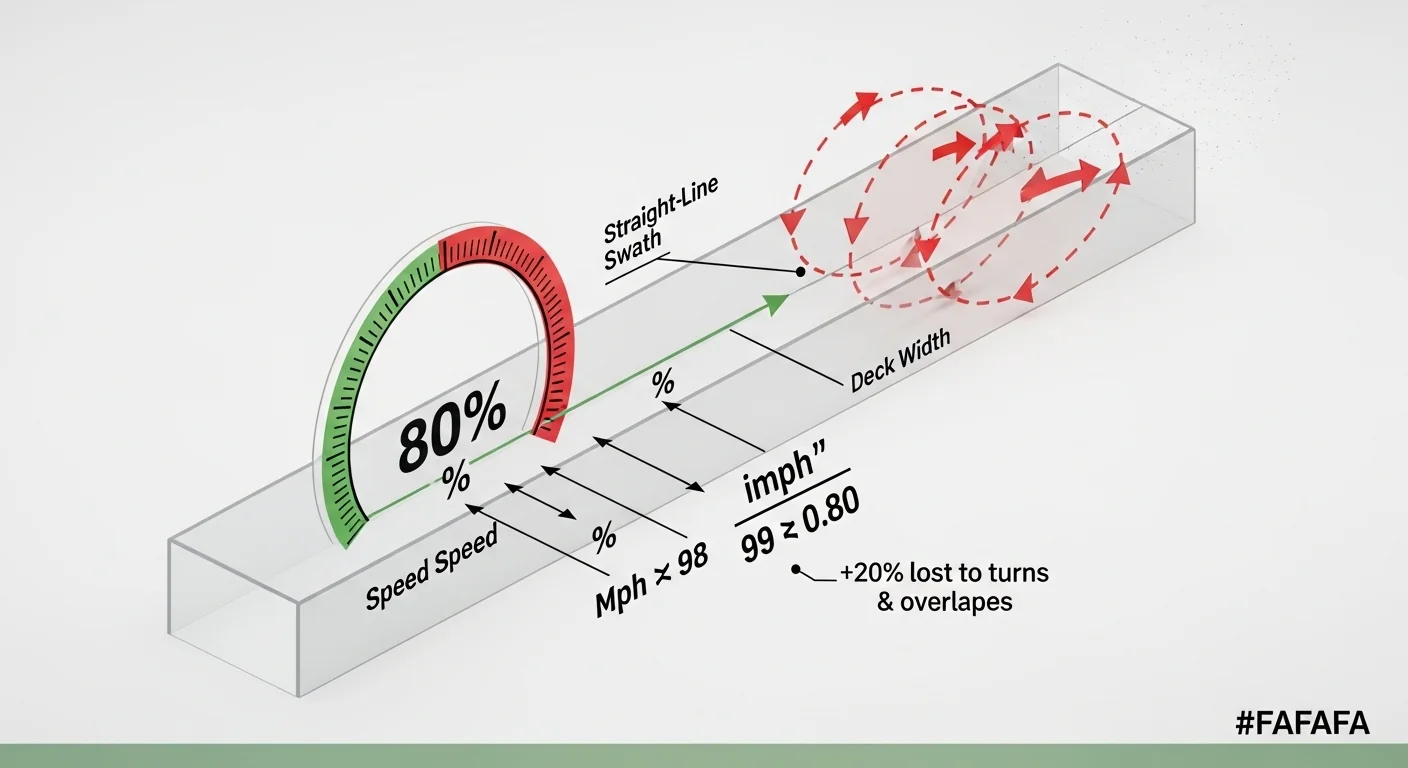
Mowing time is not simply lawn area divided by mowing speed. Every pass requires deceleration, a turn, and re-engagement. On a typical residential or light commercial property, that lost motion adds up to roughly 20% of theoretical throughput gone before the first clipping falls. Skipping that correction is why service schedules slip and why homeowners routinely underestimate a weekend mow by 30 minutes or more. If you are still calculating by hand, you are likely starting from an optimistic number.
This calculator applies an 80% efficiency factor derived from established mowing productivity standards, then lets you add a trimming and edging increment as a separate, optional line item. It handles acre and square-foot inputs, auto-fills speed by mower class, and flags sessions that exceed practical single-operator limits. What it does not do is account for slope, grass density, equipment downtime, or bagging cycles. Those variables sit outside the formula’s scope and should be layered on top of its output by the operator. If you need to confirm the precise lawn area you are working with before entering it, the sod calculator can help you derive square footage from lawn dimensions.
After running the calculator, you will have a defensible time block to put on a service schedule or a quote, along with a clear flag if the job is large enough to warrant a wider deck or a second pass split across days.
Use the Tool

Mowing Time Calculator
| Metric | Value |
|---|
| Mower Type | Deck (in) | Speed (mph) | Acres/Hr | Min/Acre |
|---|
How This Calculator Works
Step 2: Calculate acres mowed per hour:
Acres/Hr = (Speed mph × Deck Width in) / 99 × 0.80The constant 99 converts mph × inches to acres/hour. The 0.80 factor accounts for 80% efficiency due to turns, overlaps, and obstacles.
Step 3: Calculate total mowing time:
Time (hrs) = Total Acres / Acres per HourStep 4 (Optional): If trimming/edging is selected, add 10% to the total time to account for line trimming around beds, fences, and walkways.
Assumptions: Flat terrain, rectangular-ish lot, no excessive obstacles. Hilly or irregularly shaped lawns may take longer.
Assumptions & Limits
• Push mower speed assumed at 3 mph walking pace.
• Riding mower speed range: 5-7 mph (default 6 mph).
• Zero-turn mower speed range: 8-10 mph (default 9 mph).
• Trimming/edging add-on of 10% is a general estimate; heavily landscaped yards may need 15-20% more.
• Deck width is the effective cutting swath; actual overlap reduces this.
• Results are estimates for planning purposes. Actual time varies with terrain, grass height, moisture, and operator experience.
Before you start, have three numbers ready: your lawn area (in acres or square feet), your mower’s cutting deck width in inches, and your typical working speed rather than top speed. Mower spec sheets list maximum speed; actual mowing speed on a finished lawn is usually 1 to 2 mph below that. Select your mower class first to auto-fill a realistic default speed, then override it if your terrain or operator pace runs slower. Check the trimming option if your lawn includes bed borders, fence lines, or any hardscaping that requires a line trimmer pass after the main mow.
Quick Start (60 Seconds)

- Mower Type: Pick Push, Riding/Tractor, or Zero-Turn to auto-fill a class-appropriate speed. Select “Custom” only if your machine runs outside those ranges.
- Mowing Speed: The auto-filled value is a realistic working speed, not the manufacturer maximum. If your property has hills or sharp obstacles, reduce it by 1 mph before calculating.
- Lawn Size: Enter total mowable area, not lot size. Exclude the house footprint, driveway, garden beds, and any area you do not cut. Common mistake: entering the deed lot size instead of actual turf area.
- Size Unit: Switch between acres and square feet. One acre equals 43,560 square feet. A standard suburban lot is typically 6,000 to 10,000 square feet, which is well below one acre.
- Deck Width: Measure or look up the actual cutting swath in inches, not the mower’s body width. A 42-inch riding mower cuts a 42-inch path per pass.
- Trimming/Edging (+10%): Check this box if you need to run a line trimmer along edges after mowing. The 10% increment is applied to total mowing time and reflects typical residential edge complexity.
- Click Calculate only after filling all required fields. The result will not update until every input is valid.
Inputs and Outputs (What Each Field Means)
The table below maps every widget field to its real-world meaning, the most frequent entry error, and the safe range the calculator accepts.
| Field | Unit | What It Measures | Common Mistake | Safe Entry Range |
|---|---|---|---|---|
| Mower Type | Selection | Auto-populates a class-appropriate working speed | Choosing a class that does not match actual equipment; zero-turns on tight residential lots rarely operate at 9 mph | Must select one option before calculating |
| Mowing Speed | mph | Ground speed during active cutting passes | Using the spec-sheet top speed rather than real working speed; inflates acres-per-hour by a significant margin | 1 to 15 mph |
| Lawn Size | Acres or sq ft | Total mowable turf area, not total lot size | Including non-turf surfaces (driveways, beds, structures), which overstates area and time | Greater than 0, up to 1,000 in selected unit |
| Size Unit | Selection | Tells the calculator which unit to interpret for lawn size | Entering square feet but leaving the unit selector on Acres; produces a wildly overstated result | Acres or Square Feet |
| Deck Width | Inches | Actual cutting swath width per pass | Confusing overall mower body width with the blade cutting path; check the operator manual | 10 to 120 inches |
| Trimming/Edging | Checkbox | Adds 10% to total time for line-trimmer finishing work | Omitting it on lawns with beds, fences, or curb edges, then running over schedule | Optional; applies a fixed 10% multiplier |
| Total Time (output) | Minutes or h/m | Efficiency-adjusted estimated time for the complete job | Treating this as a hard deadline rather than a planning baseline | Read-only result |
| Acres per Hour (output) | Acres/hr | Effective mowing throughput at the entered speed and deck width | Comparing this figure to manufacturer claims, which are stated at 100% efficiency | Read-only result |
Trimming adds more time than many operators expect because it involves repeated starts and stops, repositioning, and working around fixed obstacles. If your property has extensive hardscaping, the 10% estimate is a floor, not a ceiling. For a quick cross-reference on weed eater line selection for those finishing passes, the weed eater line calculator covers diameter and length requirements based on trimmer type.
Worked Examples (Real Numbers)
Example 1: Small Suburban Lot, Push Mower
- Lawn size: 8,000 sq ft (0.184 acres)
- Deck width: 21 inches
- Mowing speed: 3 mph (Push Mower preset)
- Trimming: not selected
Acres per hour = (3 x 21 / 99) x 0.80 = 0.509
Time = 0.184 / 0.509 = 0.361 hours
Result: approximately 22 minutes
A typical city lot takes under 25 minutes with a standard push mower, assuming flat terrain and no obstacles. Add 3 to 4 minutes if the lawn has multiple tree rings or bed borders that require careful maneuvering.
Example 2: Half-Acre Property, Riding Mower
- Lawn size: 0.5 acres
- Deck width: 42 inches
- Mowing speed: 6 mph (Riding Mower preset)
- Trimming: not selected
Acres per hour = (6 x 42 / 99) x 0.80 = 2.036
Time = 0.5 / 2.036 = 0.246 hours
Result: approximately 15 minutes
A 42-inch tractor at 6 mph makes quick work of a half-acre open lot. This estimate applies to a reasonably clear layout. Dense landscaping, multiple beds, or irregular boundaries can push actual time past 20 minutes on the same acreage.
Example 3: Two-Acre Property, Zero-Turn with Trimming
- Lawn size: 2 acres
- Deck width: 54 inches
- Mowing speed: 9 mph (Zero-Turn preset)
- Trimming: selected (+10%)
Acres per hour = (9 x 54 / 99) x 0.80 = 3.927
Mowing time = 2 / 3.927 = 0.509 hours = 30.6 minutes
Trimming addition = 30.6 x 0.10 = 3.1 minutes
Total = 33.7 minutes
Result: approximately 34 minutes
A 54-inch zero-turn is the right machine for this scale. At two acres, the time estimate stays under 40 minutes even with trimming factored in, which makes this a realistic single-operator morning job without scheduling overflow.
Reference Table (Fast Lookup)
All times computed at 80% efficiency. Values are rounded to the nearest minute. Use this table to compare mower configurations before committing to a purchase or scheduling a service window.
| Mower Class | Deck Width | Speed (mph) | Acres/Hr (80% eff.) | Min/Acre | 0.25 Acre | 0.5 Acre | 1 Acre |
|---|---|---|---|---|---|---|---|
| Push Mower | 21″ | 3 | 0.51 | 118 | 30 min | 59 min | 118 min |
| Push Mower | 22″ | 3 | 0.53 | 113 | 28 min | 56 min | 113 min |
| Riding / Tractor | 42″ | 6 | 2.04 | 30 | 7 min | 15 min | 30 min |
| Riding / Tractor | 46″ | 6 | 2.23 | 27 | 7 min | 13 min | 27 min |
| Riding / Tractor | 54″ | 7 | 3.05 | 20 | 5 min | 10 min | 20 min |
| Zero-Turn | 48″ | 9 | 3.49 | 17 | 4 min | 9 min | 17 min |
| Zero-Turn | 54″ | 9 | 3.93 | 15 | 4 min | 8 min | 15 min |
| Zero-Turn | 60″ | 10 | 4.85 | 12 | 3 min | 6 min | 12 min |
Reading the Min/Acre column lets you quickly evaluate whether upgrading deck width pays off at your property size. Going from a 42-inch to a 54-inch deck at the same speed cuts per-acre time by a third. At one acre that saves roughly 10 minutes per session.
How the Calculation Works (Formula + Assumptions)
Show the calculation steps
Step 1 – Convert lawn size to acres. If the input is in square feet, divide by 43,560 to get acres. If the input is already in acres, no conversion is needed.
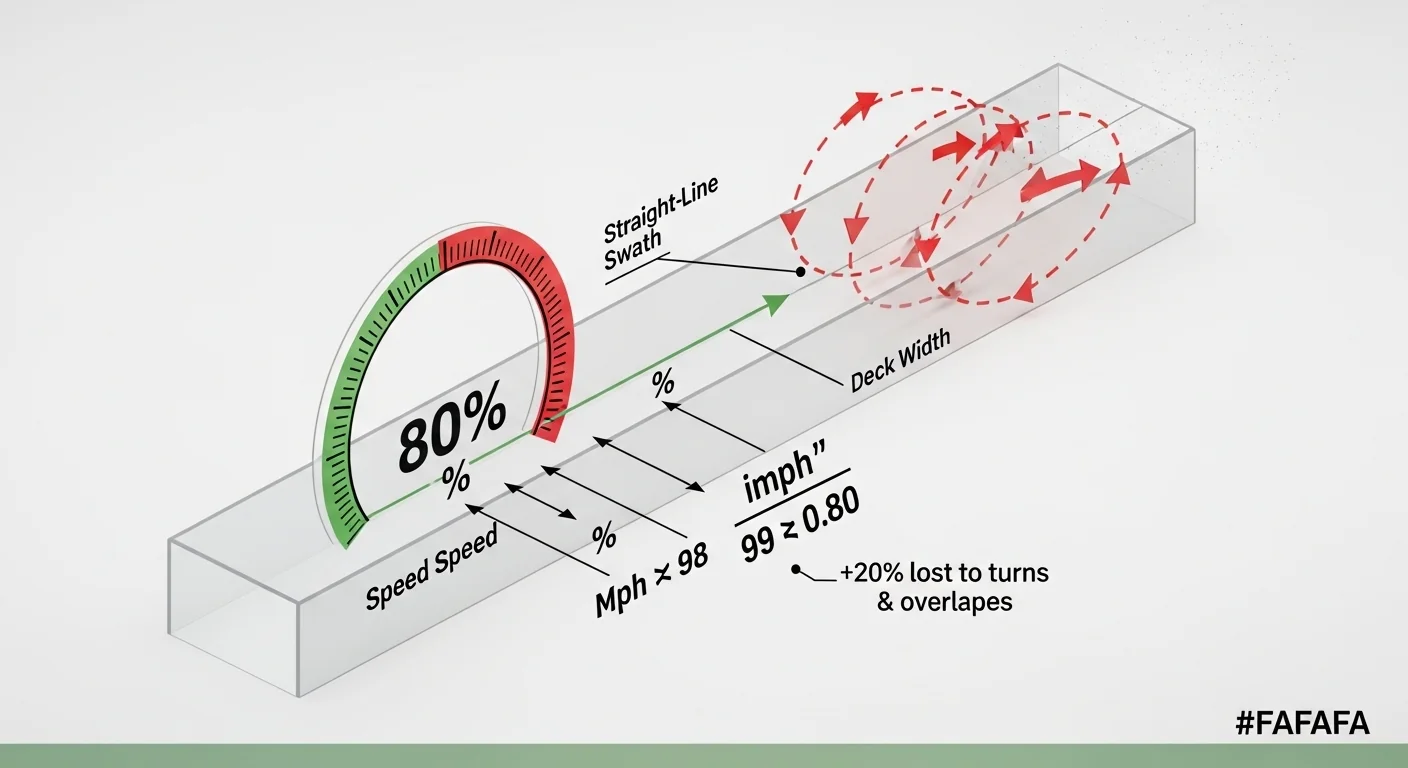
Step 2 – Calculate theoretical acres per hour. Multiply ground speed (in mph) by deck width (in inches), then divide by 99. The constant 99 is derived from the unit conversion between miles, inches, and acres: (5,280 ft/mi x 12 in/ft) / 43,560 ft²/acre / 12 in = the acres swept per mile of travel per inch of width. This gives the theoretical maximum throughput at 100% efficiency.
Theoretical Acres/Hr = (Speed mph x Deck Width in) / 99
Step 3 – Apply the 80% efficiency factor. Multiply theoretical acres per hour by 0.80. This accounts for time lost to turns at headlands, slight overlaps between passes needed to avoid missed strips, and normal pace variation.
Effective Acres/Hr = Theoretical Acres/Hr x 0.80
Step 4 – Calculate mowing time. Divide total acres by effective acres per hour. Multiply by 60 to convert hours to minutes.
Mowing Time (min) = (Total Acres / Effective Acres/Hr) x 60
Step 5 (optional) – Add trimming and edging. If the trimming checkbox is selected, multiply mowing time by 1.10 to produce the final total time. The 10% figure is the increment; the full multiplier is 1.10.
Rounding: Results under 60 minutes are displayed in whole minutes. Results at or above 60 minutes are shown as hours and rounded minutes.
Assumptions and Limits
- The 80% efficiency factor applies to typical open-to-moderate terrain. Heavily wooded lots, steep slopes, or layouts with many interior obstacles will run lower, often 65 to 70%.
- Speed inputs are treated as constant throughout the job. In practice, operators slow down near beds, trees, and property lines.
- The 10% trimming increment is calibrated for residential properties with moderate edge length. Commercial properties with long curb runs or complex landscaping may need a separate, larger estimate.
- The formula does not account for grass height or density. Tall or wet grass requires multiple passes or reduced speed, both of which increase actual time.
- Equipment setup, fueling, and cleanup time are excluded from the output. For service-level scheduling, add a standard buffer of 10 to 15 minutes per stop.
- The maximum accepted lawn size is 1,000 in whichever unit is selected. Inputs beyond that scale may reflect multiple properties or require a different planning model entirely.
- The calculator produces an estimate for planning purposes. Actual conditions always govern real mowing time.
Standards, Safety Checks, and “Secret Sauce” Warnings
Critical Warnings
- Using top speed instead of working speed. Equipment manufacturers rate speed at the machine’s maximum setting under no-load conditions. Real mowing speed on maintained turf is typically 1 to 2 mph below that. Entering top speed into this calculator will understate your actual mowing time. On a one-acre property, the gap can be 10 minutes or more.
- Omitting trimming when it applies. A lawn with fence lines, raised beds, driveways, or any feature that the deck cannot reach without a separate tool will always require finishing time. Skipping the trimming option produces a low-side estimate that does not reflect the full job duration. If you are pricing a service call, an understated time block is a margin problem.
- Scheduling long sessions without a break plan. Any single-operator session exceeding four hours of active mowing raises operator fatigue risk and equipment heat limits. The calculator flags sessions over 240 minutes. Split long jobs across days or add a second operator to stay within a reasonable working window.
- Mismatching deck width to property complexity. A 21-inch deck on a half-acre lot means more than 50 passes. The calculation is valid, but the physical reality means far more turns and more opportunity for inconsistency. At that scale, a wider deck cuts mowing time and total pass count simultaneously. Check the reference table to see the throughput difference before selecting equipment.
Minimum Standards
- An 80% efficiency factor is the accepted baseline for rotary mowing on open residential and light commercial turf. Do not use figures above 90% for planning purposes; no real-world mowing operation sustains that throughput.
- Blade condition directly affects cut quality at higher speeds. Higher blade tip speed at lower ground speed produces a cleaner cut than racing at full throttle with a dull blade. If you are evaluating cutting performance alongside time, the mower blade tip speed calculator gives you the RPM-to-linear-speed figure for your specific blade.
- Time estimates should be treated as a planning floor during active growing season, when turf density and regrowth rate are at their peak. Off-season maintenance runs generally track closer to the estimate.
- For properties requiring both mowing and a seasonal aeration cycle, scheduling those tasks on separate days is standard practice. The lawn aeration holes per square foot calculator can help you scope that complementary job independently.
Competitor Trap: Most mowing time calculators online produce results at theoretical 100% efficiency, which means they assume the mower never turns, never overlaps, and never changes speed. That framing makes their output look faster and is why service providers who rely on those tools consistently underquote time-sensitive jobs. This calculator’s 80% efficiency factor is not a conservative fudge. It reflects how rotary mowers actually perform across a full mowing session on a real property layout.
Common Mistakes and Fixes
Mistake: Entering Lot Size Instead of Turf Area
The deed or tax record lot size includes the house, driveway, patio, garden beds, and any paved or graveled surface. None of that gets mowed. Entering the full lot figure overstates turf area and inflates the time estimate in ways that make long jobs look even longer. On a 10,000-square-foot lot, the actual mowable turf might be 5,500 to 6,500 square feet after subtracting structures and hardscaping. Fix: Walk the property and estimate only the grass-covered area, or use satellite measurement tools to isolate the turf zone before entering a number.
Mistake: Ignoring the Unit Selector
Entering 9,000 square feet of turf with the unit selector left on “Acres” tells the calculator you are mowing 9,000 acres. The output will be a comically large number, but the error is not always obvious at first glance. Fix: Confirm the unit selector matches your input format before clicking Calculate. If your measurement source gives square feet, select Square Feet before entering the value.
Mistake: Not Accounting for Mowing Pattern on Complex Lots
Striped diagonal or perimeter-in spiral patterns add meaningful distance compared to simple parallel passes. The formula assumes a standard parallel pass layout. Diagonal striping on a square lot increases total travel distance by roughly 40%, and perimeter-spiral approaches introduce more tight turns per pass. If you run non-standard patterns for aesthetic reasons, actual time will exceed the estimate. Fix: Add a manual buffer, or consult the lawn striping calculator to quantify pass count and coverage for pattern-specific layouts.
Mistake: Scheduling Mowing Immediately After Irrigation
Wet turf adds weight to clippings, clogs decks faster, and forces speed reductions to maintain cut quality. Operators typically run 20 to 30% slower on wet grass, which means actual mowing time increases well beyond what the calculator shows. Wet conditions also introduce clumping, which often requires a re-pass. If your mowing window overlaps with an irrigation schedule, the time estimate is likely to be low by a meaningful margin. Fix: Align mowing sessions with your turf watering schedule so the grass has time to dry before the mower runs.
Mistake: Skipping the Trimming Option on Service Quotes
For any property with bed borders, fence lines, utility boxes, or tree rings that the deck cannot reach, omitting trimming from the time estimate produces an understated job duration. The 10% add-on in the calculator is calibrated for typical residential complexity; ignoring it entirely when building a service quote means you are absorbing the labor cost without charging for it. Fix: Default to selecting the trimming option for any property with visible edge work, and adjust the percentage manually for properties with unusually high or low edge length relative to total mowable area.
Next Steps in Your Workflow
Once you have a reliable time estimate, the natural next step is fitting it into a repeating schedule. Most cool-season lawns require mowing every five to seven days during peak growth. Warm-season varieties at full establishment may run every seven to ten days. The mowing time output from this calculator tells you how long to block out per visit; your local growth rate tells you how often those blocks recur. Pairing that cadence with a clippings management plan is worth considering: if your lawn produces heavy clippings that you leave on the turf, the grass clippings nitrogen calculator can tell you how much nitrogen those clippings are returning to the soil, which may affect your fertilizer plan.
If the time estimate surprised you on the high end, that is often a signal that the current mower configuration is undersized for the property. Run the reference table for a few deck-width and speed combinations to see where the break-even point is for an equipment upgrade. If you are also planning turf renovations this season, a visit to the grass seed calculator will help you scope material quantities for any bare patches or overseeding work before the next growing window opens.
FAQ
What is the 80% efficiency factor and where does it come from?
The 80% efficiency factor accounts for time lost to turns at the end of each pass, slight overlaps between adjacent passes needed to avoid missed strips, and normal variation in operating speed. It is the standard planning figure used in turf management and professional lawn care scheduling. Running a mower at true 100% theoretical throughput would require infinite straight runs with zero turns, which is not physically possible on any real property.
How do I find my mower’s actual deck width?
The operator manual lists the cutting width under specifications. It is the blade path width, not the full housing width. On most residential riding mowers, the housing is several inches wider than the cutting swath. Using the housing width rather than the blade path will overstate your deck width and produce an optimistic acres-per-hour figure.
My lawn is not rectangular. Does that change anything?
The formula does not depend on lawn shape; it only requires total area in acres or square feet. Irregular shapes do affect real-world efficiency because they introduce more turns, shorter passes, and more maneuvering around features. If your property has a complex outline, the 80% efficiency factor may be closer to 70% in practice. The calculator’s output is still a useful starting point, but you should apply a manual buffer of 10 to 15 minutes for highly irregular lots.
Should I use top speed or average speed as my input?
Use your typical working speed during active cutting passes, not the mower’s top speed. If you are uncertain, a safe default is to subtract 1.5 mph from the mower class preset. That produces a conservative estimate that is more likely to match reality than an optimistic one. For service scheduling, a slightly high time estimate is a better problem to have than a slightly low one.
How accurate is the 10% trimming add-on?
The 10% figure represents a common planning increment for residential properties with moderate edge length relative to total turf area. It will be too low for properties with extensive bed borders, long fence runs, or dense landscaping. It may be more than enough for large open lots with minimal edging requirements. Treat it as a starting point and adjust up on the first few service visits once you have actual time data from the property.
Can I use this calculator for commercial mowing bids?
Yes, with a few adjustments. Commercial properties often have more interior obstacles, tighter service windows, and stricter quality requirements than residential lots. The 80% efficiency factor is a reasonable baseline, but factor in equipment change-over time, debris removal, and any client-specific pass-pattern requirements before finalizing a bid. Use the calculator’s output as the raw mowing block and build your full job estimate from there.
Conclusion
A mowing time calculator is only as reliable as its efficiency model. Tools that skip the turn-and-overlap correction produce results that look fast on screen and run long in the field. The 80% factor built into this calculator is not arbitrary conservatism; it is the difference between a time estimate you can defend and one that erodes your schedule from the first job of the day.
The single most consistent mistake operators and homeowners make is omitting trimming time from the estimate. Any lawn with fixed obstacles at its edges requires a finishing pass that the mowing formula cannot capture on its own. That 10% add-on exists for a reason. Use it as a default for any property where the line trimmer comes off the truck, and adjust once you have real session data. For properties where turf renovation or overseeding is also on the agenda, the mulch calculator is a logical next stop for budgeting ground-cover materials across the same property footprint.