
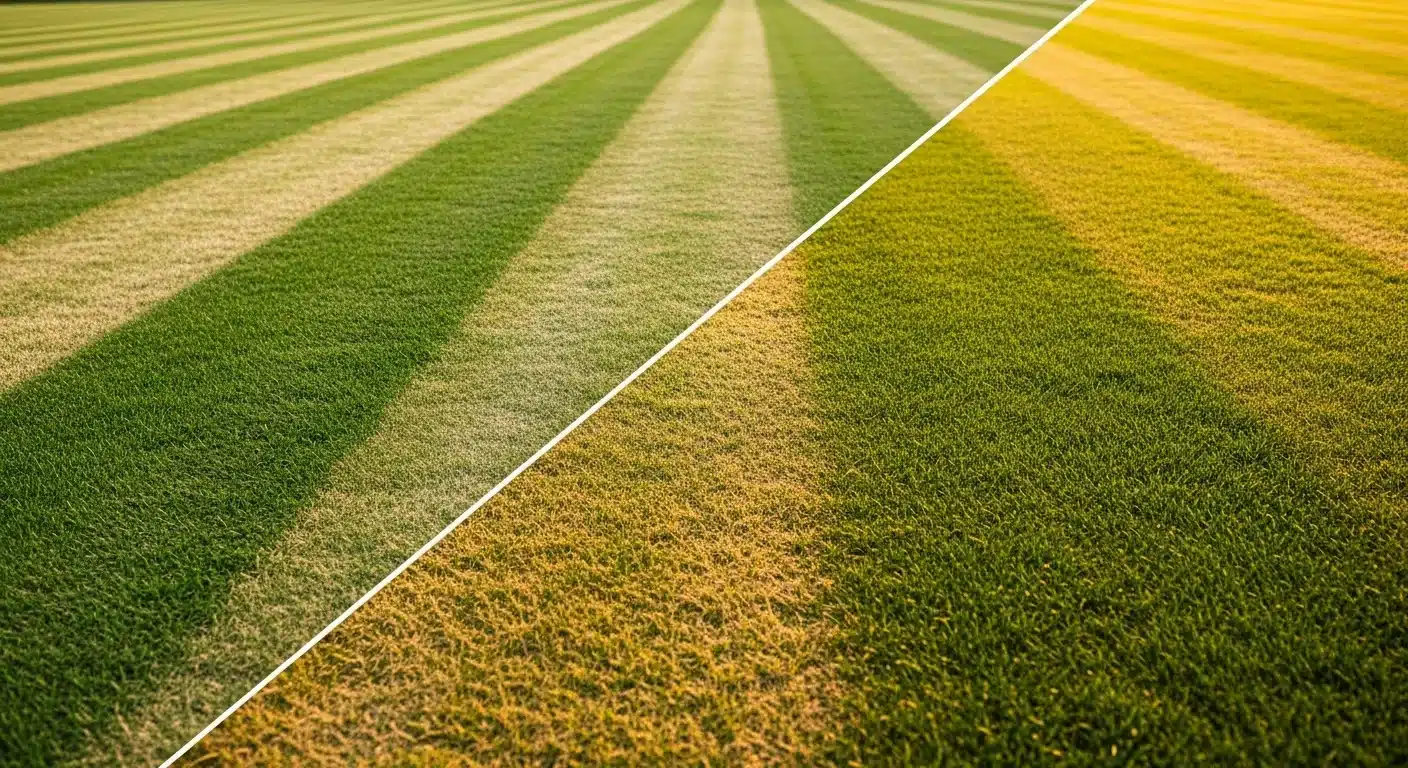
Rotary spreaders throw fertilizer at an angle because the impeller spins and hits granules off-center. This creates visible tiger striping: dark green stripes next to yellow ones even when the average application rate looks correct. Drop spreaders avoid the angle bias but require exact wheel-to-wheel alignment or they leave gaps or burn strips.
This fertilizer spreader calibration calculator measures what your spreader actually applies during a controlled test pass. It computes the real rate in pounds per 1,000 square feet, shows the deviation from your target, and applies the exact adjustment logic for both rotary and drop types. It does not replace the product label rate, account for wind, or substitute for manufacturer instructions.
One 60-second test pass tells you the precise dial change needed and whether you must switch to a crosshatch pattern on rotary spreaders to guarantee even coverage before you treat the entire lawn.
Use the Tool
Spreader Calibration Calculator
Dial in your fertilizer spreader calibration — rotary or drop — and eliminate over/under-application in minutes.
| Actual Rate (lbs/1k sqft) |
Deviation | Status | Recommended Action |
|---|
How This Calculator Works
Fertilizer spreader calibration calculator — this tool measures how much product your spreader actually applies vs. your target rate, then tells you exactly how to adjust.
Step 1 — Calculate your test area:
Step 2 — Calculate your actual applied rate:
Step 3 — Calculate deviation from target:
Step 4 — Adjust dial setting: If deviation is positive (applying too much), reduce your dial setting proportionally. If negative (applying too little), increase it. For large deviations, adjust by that percentage and retest.
Assumptions: walking speed is consistent throughout the test pass; calibration pan/bag captures the full swath; product is dry and free-flowing; spreader impeller is clean and undamaged.
Assumptions & Limits
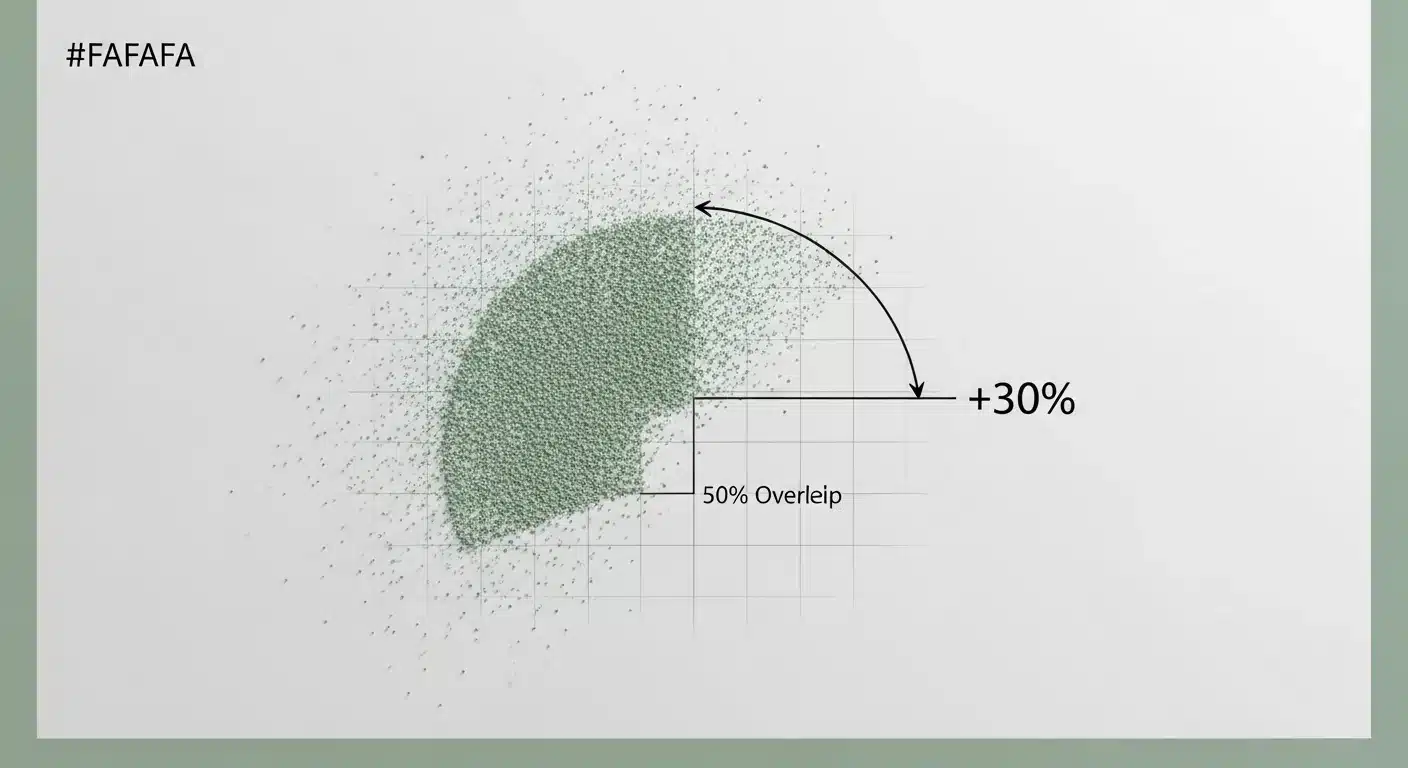
- Rotary spreaders typically throw 30% more product to the right due to impeller geometry — this is the root cause of “tiger striping” (alternating dark-green and yellow-green stripes). The tool flags this and recommends 50% overlap.
- Drop spreaders are more precise but overlap must be exact wheel-to-wheel — any gap creates missed strips, any excessive overlap creates double-application burn.
- Product density varies by formulation (sulfur-coated vs. polymer-coated urea; granular potash). Always re-calibrate when switching products, even at the same dial setting.
- Swath width for rotary spreaders should be measured at actual walking speed on a hard surface before use — manufacturer claims often exceed real-world spread.
- Valid input ranges: Target rate 0.1–50 lbs/1k sq ft; Swath 1–30 ft; Test distance 10–500 ft; Weight 0.001–50 lbs.
- This tool does not substitute for official fertilizer label instructions. Always follow label directions for application rates and safety.
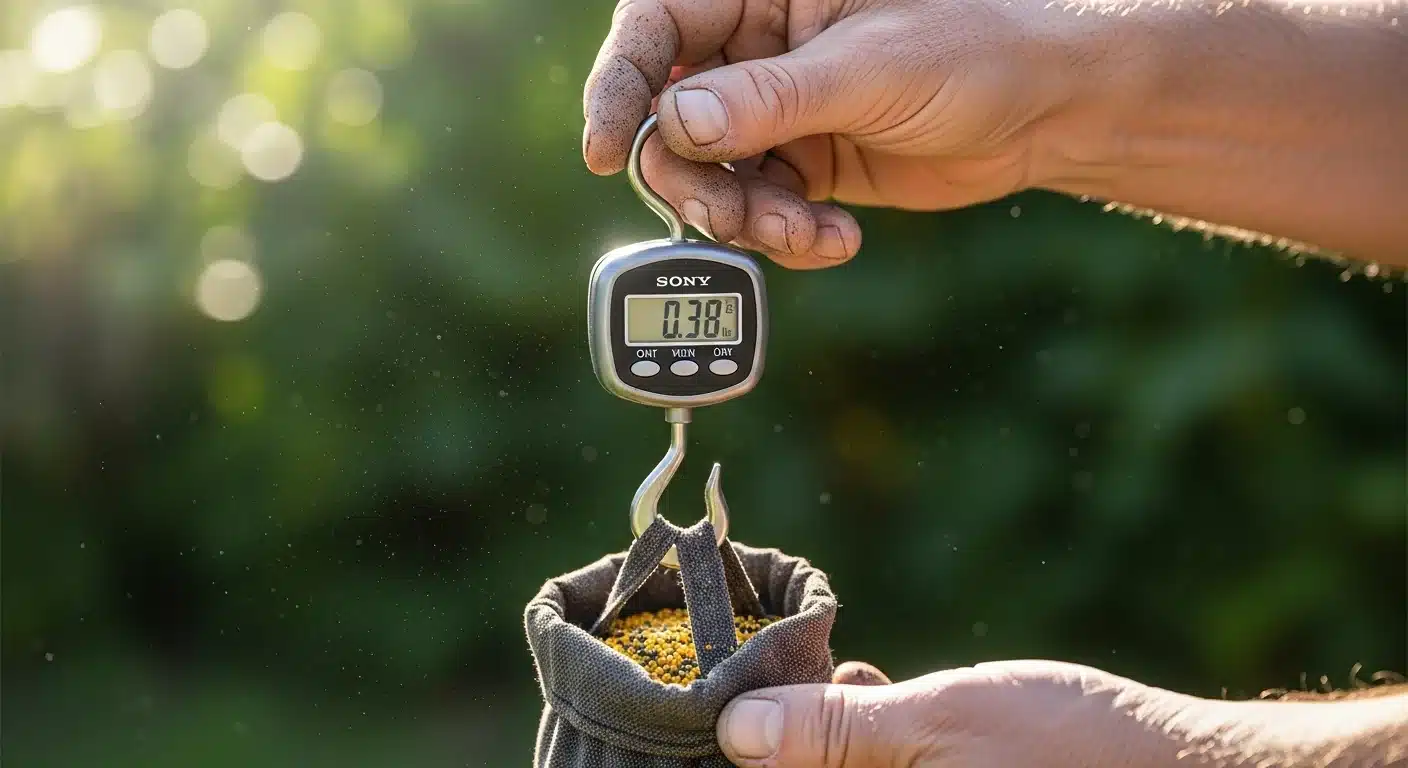
Tip: A digital hanging luggage scale (±0.1 oz) is the most cost-effective calibration tool for weighing your catch bag accurately.
Before you begin, gather the fertilizer bag label for the target rate, a tape measure, a catch pan or bag that captures the full swath, and a digital scale accurate to 0.01 lb. The calculator works for both rotary broadcast and drop spreaders.
Related planning tool: NPK calculator to confirm your target rate matches soil needs.
Quick Start (60 Seconds)
- Read the target application rate in pounds per 1,000 square feet directly from the fertilizer bag label.
- Select rotary broadcast if your spreader throws in a wide arc or drop if it releases only below the hopper.
- Measure the effective swath width on a clean driveway or sidewalk at normal walking speed.
- Mark a straight test distance of at least 50 feet with a tape measure.
- Attach a catch pan or bag that fully spans the swath and collect the granules during one steady pass.
- Weigh the caught material on a digital scale accurate to 0.01 pound.
- Enter all five values and click Calculate Calibration to see the exact dial adjustment.
Inputs and Outputs (What Each Field Means)
| Field | Unit | What it means | Common mistake | Safe entry guidance |
|---|---|---|---|---|
| Target Application Rate | lbs per 1,000 sq ft | The rate printed on the fertilizer label you want to achieve. | Using the bag rate without confirming it matches soil test results. | Enter value between 0.1 and 50; use label value exactly. |
| Spreader Type | Rotary or Drop | Rotary uses spinning impeller; drop releases straight down. | Choosing wrong type and miscalculating overlap needs. | Select from dropdown; rotary requires crosshatch consideration. |
| Effective Swath Width | ft | Actual width of fertilizer pattern at walking speed. | Using manufacturer claim instead of measured width. | Enter measured value between 1 and 30 ft. |
| Calibration Test Distance | ft | Length of the straight test pass. | Guessing distance instead of measuring it. | Enter measured value between 10 and 500 ft. |
| Weight Caught in Pan / Bag | lbs | Mass of granules collected during the test pass. | Weighing on inaccurate bathroom scale. | Use digital scale; enter value between 0.001 and 50 lbs. |
| Applied Rate (output) | lbs per 1,000 sq ft | What your spreader actually delivered during the test. | Assuming the output is the final rate without adjustment. | Compare to target and adjust dial accordingly. |
Worked Examples (Real Numbers)
Example 1: Perfect calibration on rotary spreader
- Target Application Rate: 4 lbs per 1,000 sq ft
- Spreader Type: Rotary Broadcast
- Effective Swath Width: 12 ft
- Calibration Test Distance: 100 ft
- Weight Caught: 4.8 lbs
Result: Applied rate = 4 lbs per 1,000 sq ft (0% deviation).
The dial setting is already correct. Proceed with normal passes or switch to 50% overlap crosshatch for extra uniformity on rotary spreaders.
Example 2: Over-application on drop spreader
- Target Application Rate: 3 lbs per 1,000 sq ft
- Spreader Type: Drop
- Effective Swath Width: 2 ft
- Calibration Test Distance: 50 ft
- Weight Caught: 0.375 lbs
Result: Applied rate = 3.75 lbs per 1,000 sq ft (+25% deviation).
Decrease the dial setting by approximately 25% and retest. Exact wheel-to-wheel overlap is critical to avoid burn strips.
Example 3: Under-application on rotary spreader
- Target Application Rate: 5 lbs per 1,000 sq ft
- Spreader Type: Rotary Broadcast
- Effective Swath Width: 14 ft
- Calibration Test Distance: 80 ft
- Weight Caught: 4.48 lbs
Result: Applied rate = 4 lbs per 1,000 sq ft (-20% deviation).
Increase the dial setting by approximately 20%. Because this is rotary, also cut the final dial in half and use the crosshatch pattern to eliminate tiger striping.
Reference Table (Fast Lookup)
Target rate fixed at 4 lbs per 1,000 sq ft. Test distance fixed at 100 ft. Table shows required catch weight for exact match and the effect of small weight variations.
| Swath Width (ft) | Catch Weight for Exact Match (lbs) | Applied Rate if Catch +0.2 lb (lbs/1k) | Deviation | Dial Action |
|---|---|---|---|---|
| 10 | 4.0 | 4.2 | +5% | Nudge lower 1 click |
| 12 | 4.8 | 5.0 | +25% | Decrease 25% |
| 14 | 5.6 | 5.8 | +45% | Major decrease and retest |
| 8 | 3.2 | 3.4 | -15% | Increase 15% |
| 15 | 6.0 | 6.2 | +55% | Major decrease |
| 11 | 4.4 | 4.6 | +15% | Decrease 15% |
| 13 | 5.2 | 5.4 | +35% | Decrease 35% |
| 9 | 3.6 | 3.8 | -5% | Nudge higher 1 click |
How the Calculation Works (Formula + Assumptions)
Show the calculation steps
The tool follows three transparent steps that match the displayed formula.
Test area in square feet equals swath width in feet multiplied by test distance in feet.
Applied rate in pounds per 1,000 square feet equals weight caught in pounds divided by test area multiplied by 1,000.
Deviation equals applied rate minus target rate divided by target rate multiplied by 100. Positive deviation means lower the dial; negative means raise it.
All results round to two decimal places for the rate and one decimal place for the deviation percentage. No unit conversions are required.
Assumptions & Limits
- Walking speed stays perfectly consistent during the entire test pass.
- The catch pan or bag captures the complete effective swath with no spillage or loss.
- Granules remain dry and free-flowing; moisture changes flow rate dramatically.
- Rotary spreaders throw 30% more product to the right side due to impeller geometry.
- Drop spreaders require exact wheel-to-wheel contact on every pass.
- The tool becomes misleading if the measured swath width differs from real lawn conditions because of terrain or wind.
- Product density changes between different fertilizer formulations require a fresh calibration every time you switch bags.
Standards, Safety Checks, and “Secret Sauce” Warnings
Critical Warnings
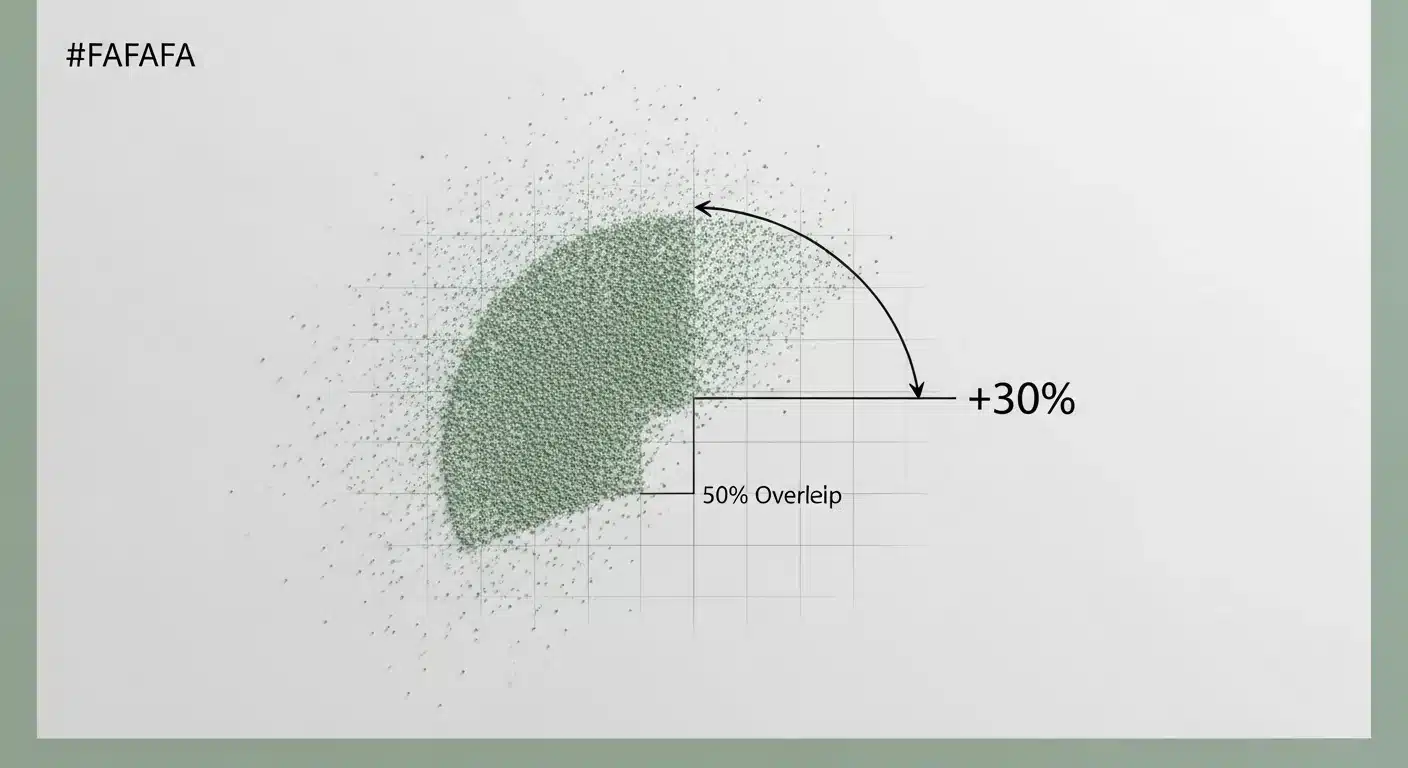
- Rotary spreaders throw 30% more product to the right side. Without 50% overlap and a crosshatch pattern you will see tiger striping no matter how accurate the average rate appears.
- Deviation greater than 15% creates high risk of burn or nutrient deficiency. Recalibrate before any full-lawn application.
- High target rates above 10 lbs per 1,000 square feet often exceed safe single-application limits on many granular products.
Minimum Standards
- Applied rate must stay within 5% of target for safe, professional results.
- Swath width must be measured at actual walking speed on a hard surface before every new product or season.
- Wheel-to-wheel overlap is mandatory on drop spreaders.
- Crosshatch pattern with dial cut in half is required on rotary spreaders to neutralize impeller bias.
Many online spreader calculators stop at the average rate and never mention the impeller angle bias that creates tiger striping. This tool is different: it turns the 30% right-side throw and 50% overlap rule into an automatic warning every time you select rotary.
Related safety reference: fertilizer salt index calculator to check burn risk at your final rate.
Common Mistakes and Fixes
Mistake: Using the advertised swath width from the manual
Manufacturer claims are often optimistic and measured under perfect conditions. The actual pattern on your lawn is usually narrower.
Fix: Always measure the effective swath yourself on a clean driveway at normal walking speed before testing.
Mistake: Single-direction passes on a rotary spreader
Even perfect average rate leaves stripes because the impeller throws 30% more to one side.
Fix: Cut dial rate in half and walk the lawn twice in a crosshatch pattern.
Mistake: Inconsistent walking speed or stops during the test pass
Any hesitation or speed change skews the weight caught and makes the deviation meaningless.
Fix: Practice the pass once without catching granules, then perform the actual test at steady pace.
Mistake: Ignoring product density differences between bags
Polymer-coated urea flows differently than sulfur-coated granules even at the same dial setting.
Fix: Run a fresh calibration every time you open a new bag or change formulation.
Mistake: Skipping the overlap check on drop spreaders
A small gap or extra overlap creates visible yellow or burned strips that the rate calculation alone cannot detect.
Fix: Mark wheel tracks and ensure every pass exactly matches the previous edge. Related soil factor: soil pH lime calculator shows how pH changes burn risk.
Next Steps in Your Workflow
Once the calculator shows your deviation, adjust the dial setting exactly as recommended and run a second test pass to confirm the new rate falls inside the 5% safe zone. If you are using a rotary spreader, switch immediately to the 50% overlap crosshatch pattern before covering the full lawn.
With the spreader now dialed in, move to total product planning with the lawn fertilizer calculator and seasonal nitrogen timing using the nitrogen calculator. This sequence keeps both rate and total amount matched to your lawn needs.
FAQ
How often should I calibrate my spreader?
Calibrate at the start of every new season, after changing fertilizer type or bag, and any time you notice uneven stripes. Weather, humidity, and granule size all affect flow rate so a quick catch-pan test takes only minutes but prevents wasted product or damage.
Does this calculator work for both rotary and drop spreaders?
Yes. The math is identical but the warnings and overlap guidance change automatically based on the type you select. Rotary adds the tiger striping and crosshatch instructions; drop focuses on exact wheel-to-wheel contact.
What if my deviation is greater than 15%?
The tool flags it as danger and recommends a major dial change plus retest. Large deviations usually mean the swath width was mis-measured or the spreader needs cleaning or repair before any full application.
Can I use the same calibration numbers for different products?
No. Each formulation has its own density and flow characteristics. Run a new test whenever you switch bags even if the label rate is identical.
Why does the tool recommend cutting the dial in half for rotary spreaders?
The impeller geometry throws 30% more granules to the right side. Cutting the rate in half and crossing the pattern at 50% overlap cancels the bias and produces uniform color without stripes.
What scale should I use to weigh the catch bag?
Any digital scale accurate to 0.01 lb works best. A cheap hanging luggage scale is accurate enough and far more practical than guessing with a kitchen scale.
Conclusion
The fertilizer spreader calibration calculator removes guesswork from granular application. It turns a simple catch-pan test into an exact dial adjustment and forces the rotary-specific 50% overlap crosshatch fix that eliminates tiger striping.
The single biggest mistake to avoid is trusting the average rate alone without addressing impeller bias on rotary spreaders. With this tool you apply the right amount in the right pattern every time. For long-term nutrient release planning see the soil organic matter nitrogen release calculator.